

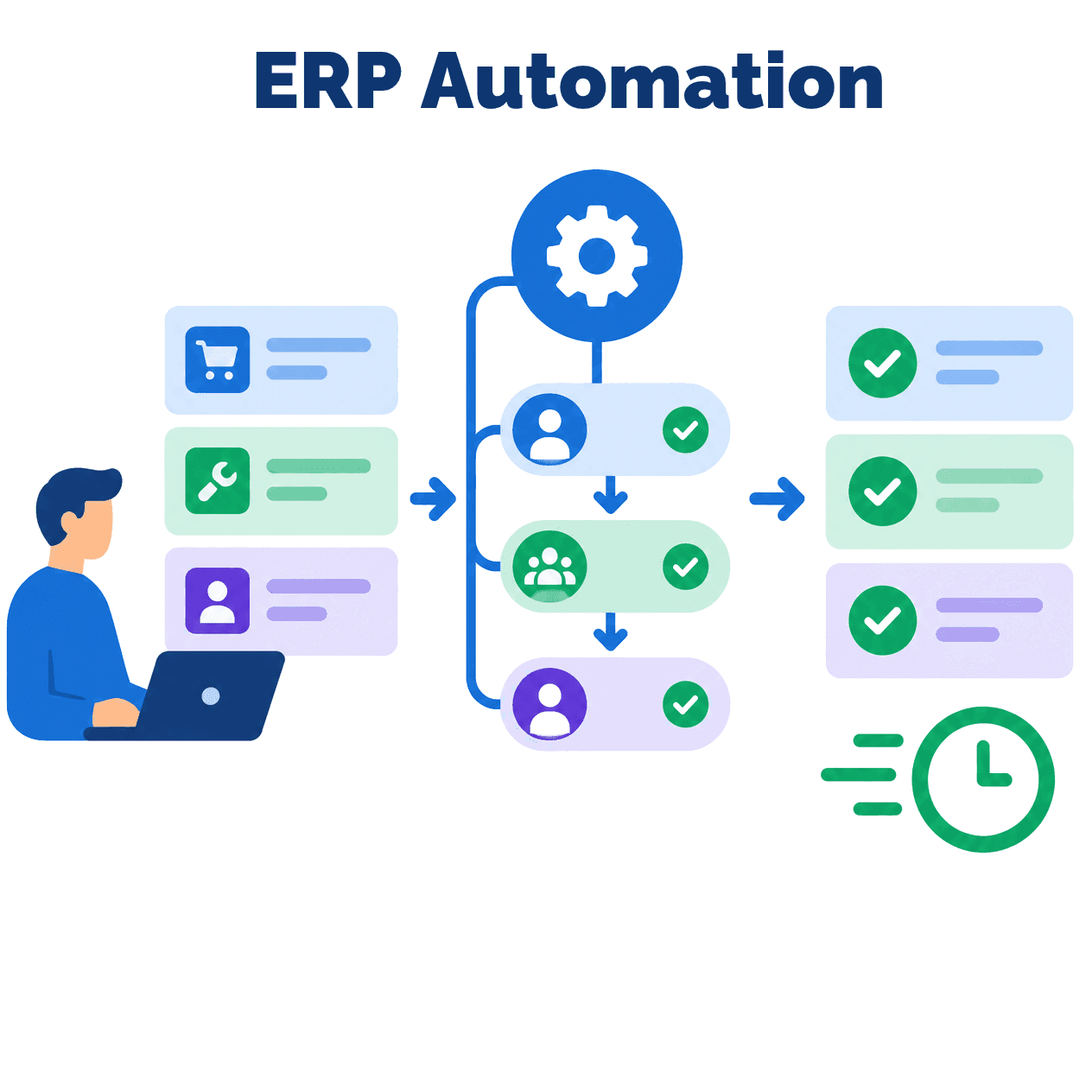
Ever noticed how a small request can take days to get approved? A purchase order, a leave application, an expense claim, or an invoice, often a request needs to be reviewed and approved by several people before it can move forward. When all of this runs on email threads, spreadsheets, and paper forms, things slow down quickly.
The problem grows with the company. Staff end up spending their time chasing updates, sending reminders, and waiting for replies, when they could be doing the work they were hired for.
ERP automation helps fix this. It puts your business processes in a single system and handles the approval steps for you, so requests move faster, there is less repetitive work, and everyone stays on the same page.
In this post, we'll look at how ERP automation improves approvals and makes daily work smoother.
What Is ERP Automation?
ERP stands for Enterprise Resource Planning. It is software that brings together areas like finance, purchasing, inventory, HR, and operations in one place. Automation means the software carries out routine steps on its own, following rules you set.
Take a purchase request. Once an employee submits it, the system sends it straight to the right manager. After that manager approves it, the request moves on to the next stage without anyone forwarding emails or updating separate files.
The result is a work process that is more organized and works the same way every time.
Why Manual Approvals Slow Things Down
Lots of companies still approve requests through email, spreadsheets, and printed forms. This can work for a small team, but it begins to break down as the business grows. Here are the common problems:
Long waits: A request sits idle because the approver is away or missed the notification.
Constant follow-ups: People kill time sending reminders and asking for updates.
Missing information: Requests and attached documents get buried in inboxes or lost.
No visibility: Nobody is sure who needs to approve a request next.
Typing errors: Entering the same details in several places invites mistakes.
Confusion about roles: Without a clear process, requests land with the wrong person.
Together, these issues make it difficult for teams to complete work on time.
7 Ways ERP Automation Speeds Up Approvals
1. Requests reach the right person automatically
The system can send each request to the right approver based on rules you define. A purchase request might go to the department manager first, then to a finance manager or senior leader if the amount is above a set limit.
Employees don't have to figure out who to ask or forward anything themselves. The system follows the approval path you configured.
2. Fewer emails and reminders
Tracking approvals eats up more time than most people realize. Many employees send several messages just to know whether someone has looked at their request.
With an automated workflow, the system sends notifications and reminders to approvers when something needs their attention. Managers can see what is waiting and respond right inside the system. Less back-and-forth means more time for real work.
3. Clear approval status
With manual approvals, it is very difficult to tell where a request is stuck. An ERP system shows every request and its current status in one place. Employees and authorized managers can see if it is pending, approved, rejected, or waiting for more details.
This openness cuts down on the need to ask around different departments.
4. Less repeated data entry
In manual setups, the same details often get typed again and again, for example, into a spreadsheet, an email, and a finance record.
ERP automation keeps related information in one system. After a request is submitted, its details travel along the workflow without being re-entered. That saves time, avoids typos, and keeps records consistent.
5. Quicker decisions by managers
Managers handle many tasks at once, and requests scattered across emails and documents are hard to review. An ERP system collects everything you need, including the request, supporting files, and approval history, in one spot.
For example, when verifying an expense claim, a manager can see the amount and related details right away and decide with confidence.
6. Records and accountability
It matters to know who approved what, and when. ERP systems can store approval history, like request details, actions taken, and timestamps, depending on how the system is set up.
These records make it easier to understand past decisions and look back at old transactions. They can also help with internal checks and audits.
7. Departments stay connected
Approvals rarely involve just one team. A purchase may pass through purchasing, finance, and management, while an employee request might need HR and the department head.
An ERP system links these teams through shared workflows and information. When one team completes its part, the request moves to the next. This closes communication gaps and helps teams work together.
Everyday Processes You Can Automate with ERP
Business Process | How ERP Automation Helps |
| Purchase approvals | Sends requests to the right managers based on approval rules. |
| Employee leave requests | Routes applications to the responsible manager or HR. |
| Expense approvals | Helps managers review and approve expense claims. |
| Invoice approvals | Moves supplier invoices through the needed finance steps. |
| Vendor approvals | Keeps vendor details organized and routes new vendor requests for review. |
| Budget approvals | Sends budget requests to department heads or the finance team. |
| Inventory requests | Routes stock or material requests to the proper authority. |
Automating these tasks reduces routine admin work and keeps approvals consistent.
What to Think About Before Automating Workflows
ERP automation can help a lot, but it requires good planning. Just moving a messy manual process into software won't fix the mess. Before you begin, consider these points:
- Study your current process: Identify where delays happen and which approval steps are truly needed.
- Assign responsibilities: Decide who can review, approve, or reject each type of request.
- Set clear rules: Define things like spending limits, department conditions, and escalation steps.
- Keep it simple: Extra approval stages only slow things down.
- Train your team: Make sure people know how to submit requests and use the system.
- Review regularly: Check that the workflows work as intended and improve them over time.
A good workflow should save effort, not add steps.
How Custom ERP Solutions Help
Every business has its own approval system, roles, and needs. A ready-made ERP may handle the common tasks but may not fit how your organization actually works.
A manufacturing firm, for example, may need multi-level purchase approvals tied to material costs. A service company may need approvals for project expenses, staff requests, and client-related work.
Custom ERP solutions can be built or configured around such needs. You can set your own approval rules, connect departments, integrate existing applications, and automate processes that are unique to your business.
That way, the system adapts to your people, instead of your people adapting to the system.
Conclusion
Approvals shouldn't hold up everyday work. When people spend their time waiting for decisions, sending reminders, and updating records, important tasks fall behind.
ERP automation brings order to approvals by routing requests automatically, reduce repeated data entry, showing a clear status, and keeping departments connected.
The goal is not to take people out of the process. It is to exclude the needless admin work so managers and employees can focus on decisions and their main duties.
With the right ERP system and thoughtfully designed workflows, businesses can save time, make fewer mistakes compared to manual tasks, and run more smoothly.
Want to simplify your business processes with automation? Authorselvi builds custom software that fits how your business operates, from workflow automation to custom-made business applications. We help turn slow manual processes into efficient digital ones.
Get in touch with Authorselvi at info@authorselvi.com to find the right software solution for your business.